Project documents
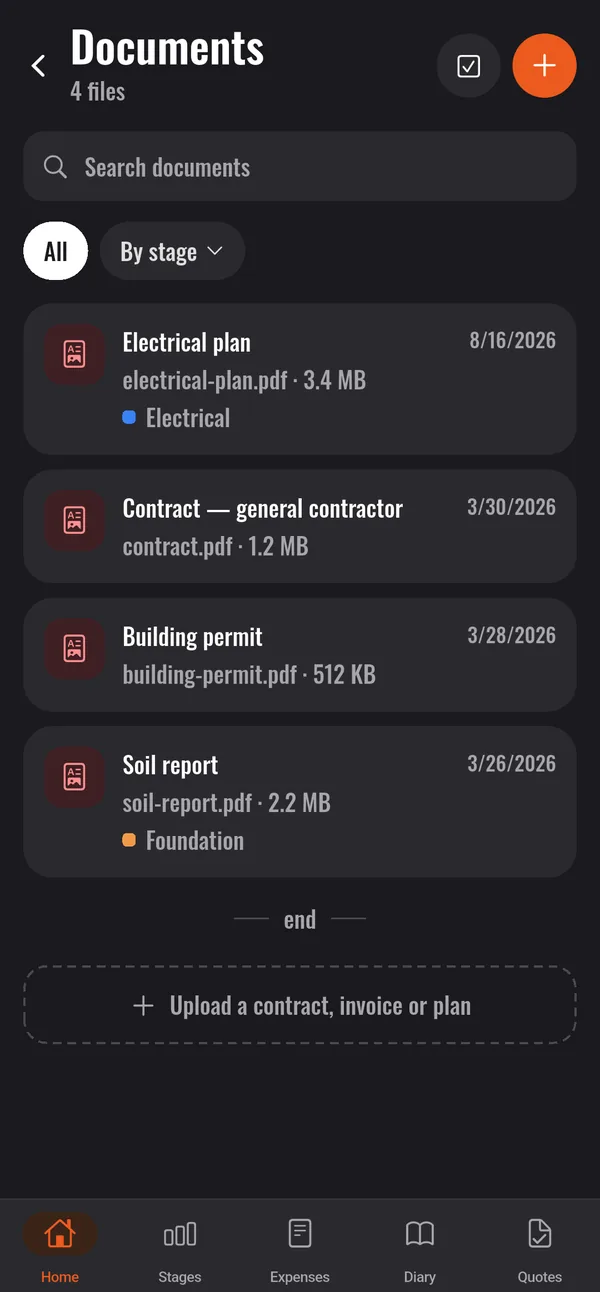
Contract, invoices, plans and permits kept with the project, ready to download or share.
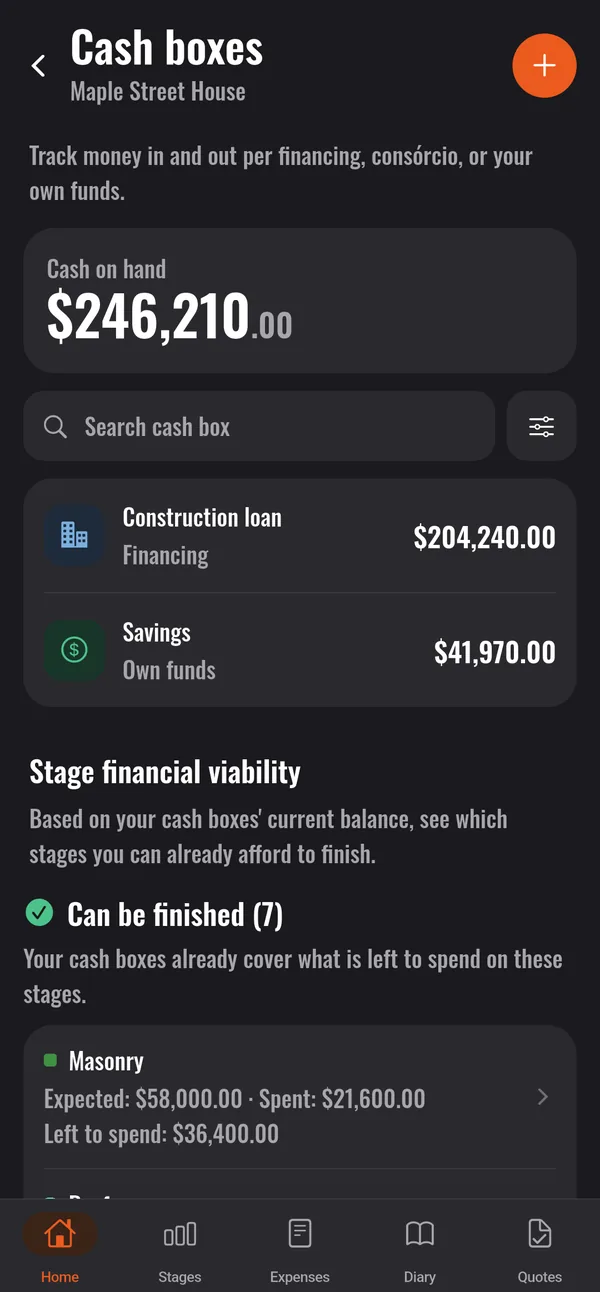
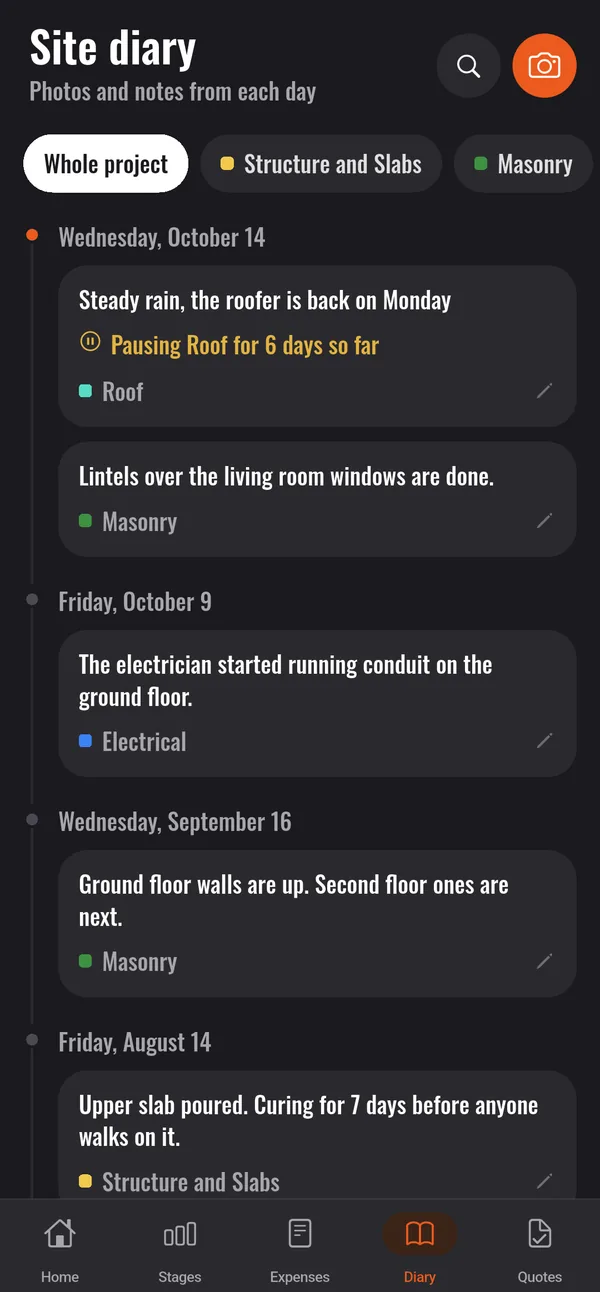
Expenses, budget per stage, supplier quotes, cash boxes and the site diary in one place. Made for the owner of the build, not for spreadsheet experts.
Cancel anytime Android and computer Already a user? Sign in to your account
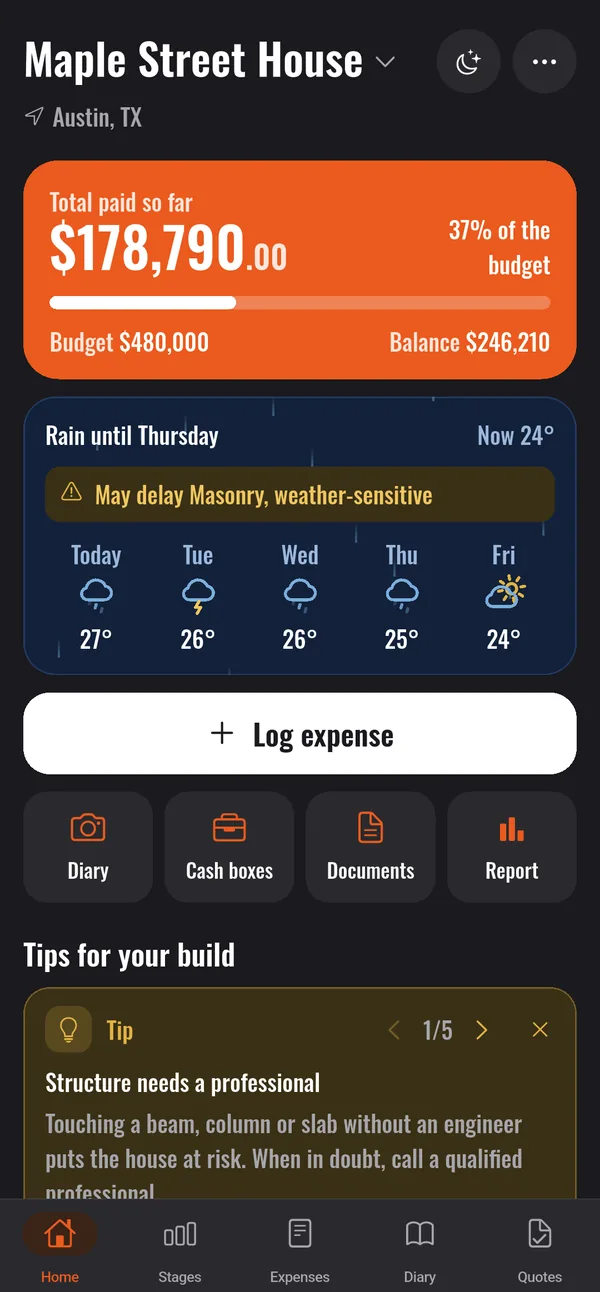
Budget, payments and a record of every day, in one app. Tap each part to see the real screen.
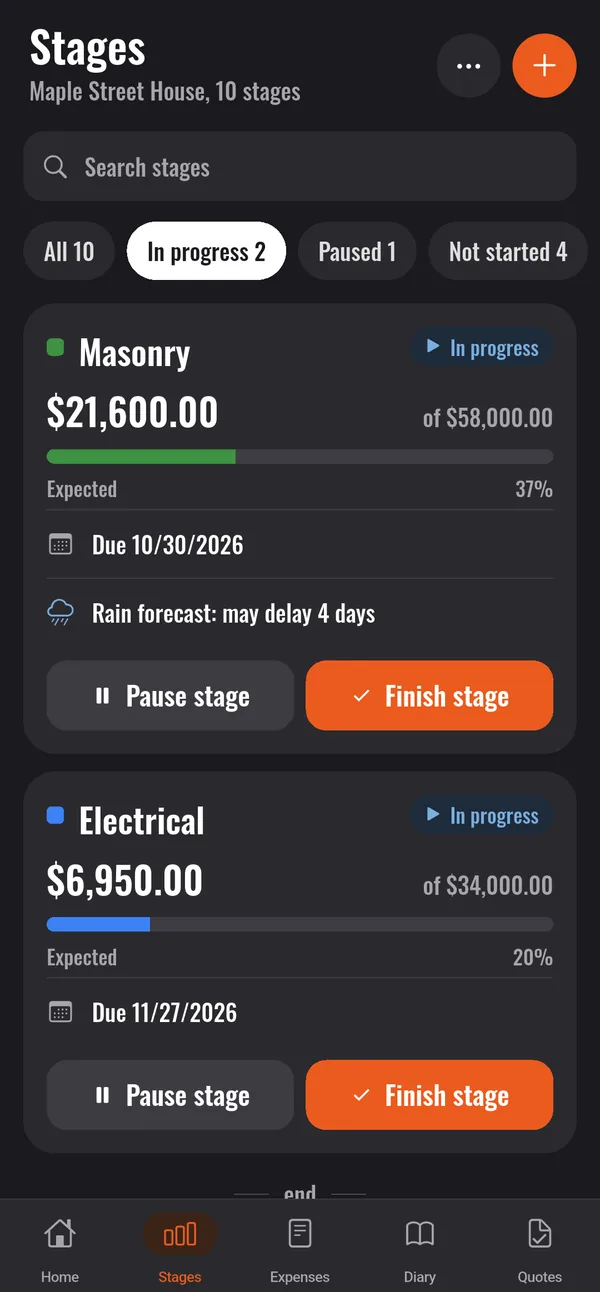
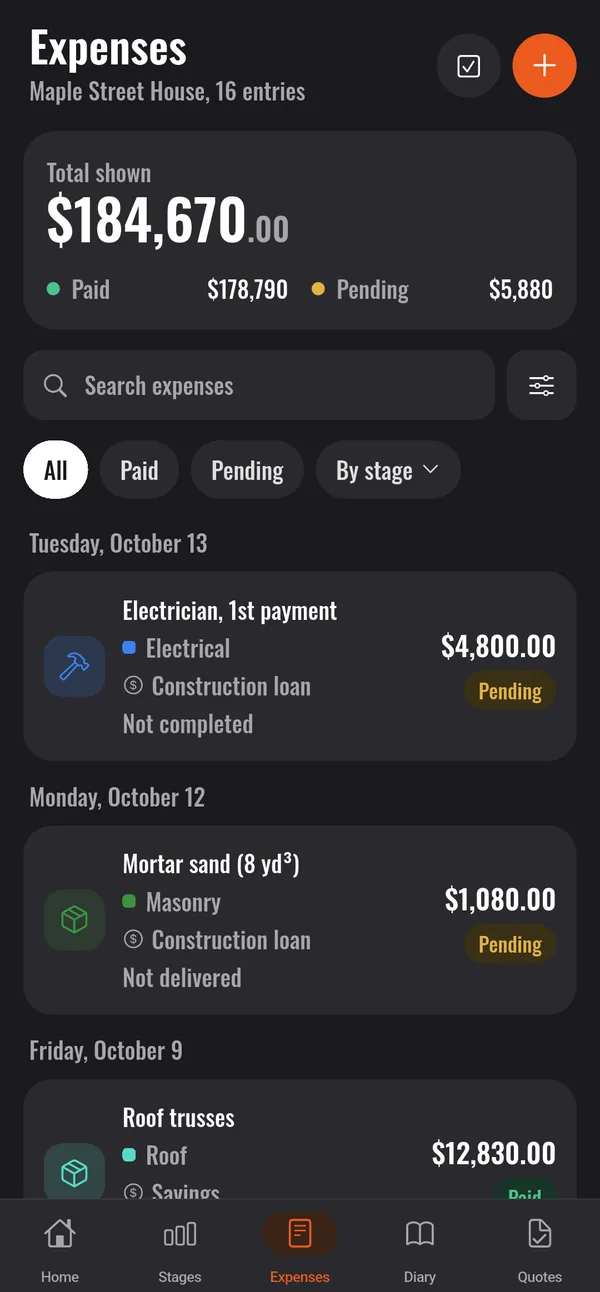
Send a voice note, a photo or a message and the app records it. It tells you what matters, at most once a day.
What helps someone running a build with no time for paperwork.
Contract, invoices, plans and permits kept with the project, ready to download or share.
Photograph the receipt and AI fills in items, amounts and date. The photo isn't kept, it's only read.
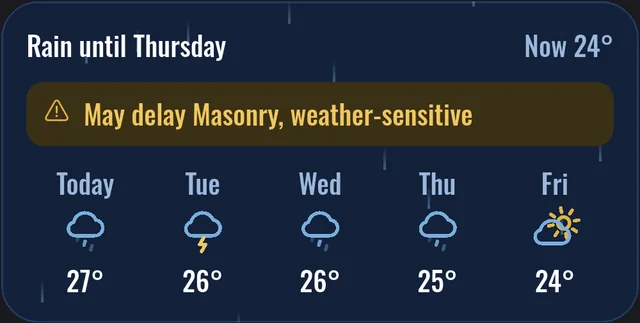
Mark the site's address and the weather-sensitive stages: the app shows the forecast and warns you when rain may delay a stage.
To plan before you start: the stages of each kind of build and short guides on schedules, costs and quotes.
Didn't find your answer? Try it free for 15 days and see for yourself.
It's a construction management app for people building or renovating. You track stages, budget, expenses, bills to pay, supplier quotes, cash boxes and the site diary from your phone, no spreadsheet needed.
Both. A bathroom or kitchen renovation, building a house or several projects at once: each project has its own stages, expenses and diary.
Log each expense by typing the items or taking a photo of the receipt, which AI reads for you. Mark it paid or pending, tie it to a stage and a cash box, and the app adds everything up and shows what's left.
No. A wizard sets up the project in 3 steps and each screen shows only what matters, with large text and plain language.
Yes. Mark the site's address and the weather-sensitive stages, like foundation or roof. The app shows the forecast for the next days and warns you when rain may delay a stage.
Yes. Connect your WhatsApp in the app's profile and send expenses, photos, voice notes and documents in the chat. It also warns you about bills coming due, rain, stalled stages and budget overruns, with a tip of the day, at most one alert message a day.
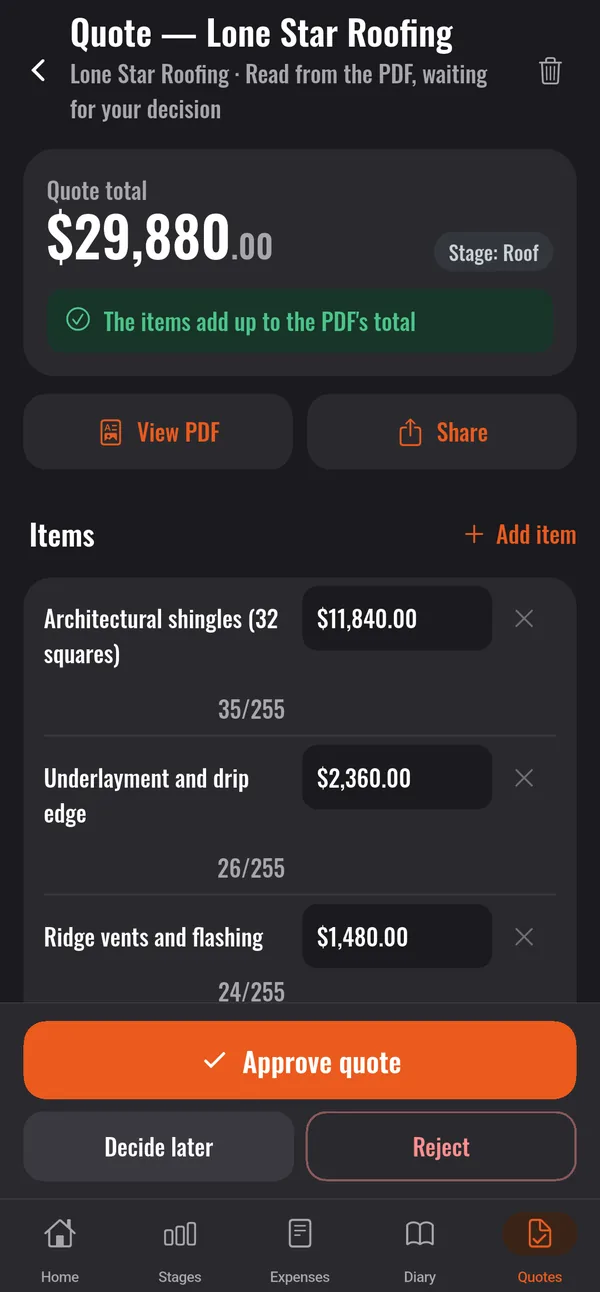
Send the quotes for the same purchase (the materials for the slab, say) and group them in a comparison. The app ranks them from cheapest to priciest, compares them item by item, points out what each one didn't quote and what it would cost complete, and says which looks like the best deal. The decision stays yours.
It will. The home screen shows tips on what to do now, tied to your project: keep the contract, check a material delivery, review a stage before paying the rest. Each tip takes you straight to the right place in the app, and you mark it done or turn tips off whenever you like.
You use it free for 15 days, no card needed. Then, to carry on, you choose the monthly or yearly plan. If you don't subscribe, nothing is charged and your data stays saved.
Yes. With the same account, you follow projects, stages, expenses, cash boxes and the diary in the browser.
15 days free, no card needed, then a monthly or yearly plan. Available for Android; iPhone coming soon.